Tokyo Disney vs USJ: Park Apps, Free WiFi and Data
Tokyo Disney's free WiFi covers the entrance only, 15 minutes at a time. USJ went park-wide. Here's what to install and how much data to bring.
On this page
- 📱 Install the app the night before — this is the part people get wrong
- 📶 Tokyo Disney free Wi-Fi: the entrance, 15 minutes at a time
- 🎢 USJ free Wi-Fi: the whole park, since March 2025
- ⚖️ Tokyo Disney vs USJ, side by side
- 💾 How much data does a park day actually use?
- 🔋 Battery is the harder problem
- ❓ FAQ
- 🧳 The short version
- Sources
Disclosure Some links on this page are affiliate links. If you buy through them we may earn a small commission at no extra cost to you. It never changes what we recommend.
You're through the turnstile at Tokyo Disneyland, it's 8:20 in the morning, and everyone around you is already staring at their phone. They're grabbing Standby Passes. You open the app — and the free Wi-Fi you connected to at the gate has already cut out.
That's the whole story in one sentence: at Tokyo Disney the free Wi-Fi reaches the entrance area only and gives you 15 minutes at a time, while USJ turned on Wi-Fi across the entire park in March 2025.
So the plan is different for each park. For Tokyo Disney, treat the free Wi-Fi as a nice bonus at the gate and bring your own mobile data for the day. For USJ, the park Wi-Fi can genuinely carry you — but your own data is still the thing that saves the morning. Either way, install the app and log in the night before, not in the queue.
📱 Install the app the night before — this is the part people get wrong
At Tokyo Disney, the free stuff lives in the app. Standby Pass and Entry Request cost nothing, and Disney Premier Access is the paid skip-the-line option — all three sit inside the Tokyo Disney Resort App.
Here's the catch that trips people up: the official FAQ says these services are "available after entering the park." You can't warm up in the hotel lobby. The clock starts when you scan in.
You also need to be logged in. Tokyo Disney states plainly that "Login to your MyDisney Account is required to use services, make bookings and purchases using the Tokyo Disney Resort App," and that accounts can be registered by guests age 13 or older. Map, opening hours and venue search work without logging in — everything you actually want does not.
Creating a Disney account on hotel Wi-Fi takes five minutes. Creating one while standing in Main Street with a stuttering connection and a family waiting is a different experience entirely.
Is the app strictly compulsory? Not quite. Tokyo Disney publishes a route for guests without the app — you scan your physical ticket code at the entrance, and a Cast Member can help at the venue. But that's a fallback, not a strategy. Honestly, if you're coming from abroad for one day, plan as if the app is mandatory, because in practice it decides which rides you get.
USJ works the same way in spirit. The official app listing from NBCUniversal describes wait times, show schedules, the park map, timed entry eTickets and mobile ordering. The timed entry tickets are the ones that matter — that's how you get into the busiest areas.
📶 Tokyo Disney free Wi-Fi: the entrance, 15 minutes at a time
Tokyo Disney does not hide this. Their FAQ lists every spot.
At Tokyo Disneyland: around the Main Entrance, and Main Street House. At Tokyo DisneySea: around the Park Entrance North, around the Park Entrance South, Guest Relations, around the Fantasy Springs Entrance, and the Fantasy Springs Entryway.
That's it. Not the queues, not Toontown, not the middle of the lagoon.
The network is called Park_Entrance_Free_Wi-Fi. You turn on Wi-Fi in range, read the screen that appears, and register an email address or a social media account. Your details are saved for a year, so a second visit connects without the form.
And the limit, quoted from the official FAQ: "Each Wi-Fi connection lasts 15 minutes and unlimited times per day."
Unlimited reconnections sounds generous until you picture it. Fifteen minutes, dropped, reconnect, dropped — while a Standby Pass window is ticking. My read: this is Wi-Fi for downloading the app before you go in, and nothing more.
🎢 USJ free Wi-Fi: the whole park, since March 2025
USJ announced on 31 March 2025 that free Wi-Fi named "Universal Free Wi-Fi" became available across the entire park from that day. Park-wide. No entrance-only footnote.
You connect either through the official USJ app, or by picking the park network in your phone's Wi-Fi settings.
This is a real difference, not a marketing one. USJ's whole system — timed entry eTickets, wait times, mobile food orders — assumes you have a live connection somewhere in the middle of the park. They built the network to match.
⚖️ Tokyo Disney vs USJ, side by side
| Tokyo Disneyland / DisneySea | Universal Studios Japan | |
|---|---|---|
| Free Wi-Fi coverage | Entrance areas and a handful of named spots only | Park-wide, since 31 March 2025 |
| Session limit | 15 minutes per connection, unlimited reconnections per day | No session limit published |
| Sign-up | Email or social account; saved for one year | Connect via the official app or Wi-Fi settings |
| App needed for | Standby Pass, Entry Request, Disney Premier Access — all after entering the park | Timed entry eTickets, wait times, mobile order |
| Account login | MyDisney account required, age 13+ | App account for ticket and eTicket features |
| Power outlets in park | None — Tokyo Disney states there are no outlets to charge directly | Battery rental stands in and around the park |
| Battery rental | ChargeSPOT, via its own separate app | ChargeSPOT, via its own separate app |
💾 How much data does a park day actually use?
Less than you fear, and in a shape that surprises people.
Checking wait times, refreshing the map, grabbing a pass — those are small, text-and-image requests. Even doing it two hundred times in a day, you're in the low hundreds of megabytes. The app is not the villain.
What eats your allowance is everything else you do because you're having a good day: sending photo bursts to the family group chat, uploading a story, streaming a video while you queue for forty minutes.
A sensible planning figure for one park day:
- Light use — passes, maps, messaging, a few photos sent: budget around 500 MB
- Normal use — plus stories, video calls home, some scrolling: budget around 1 GB
- Heavy use — uploading video clips through the day: budget 2–3 GB
For a two-week trip that includes one Disney day and one USJ day, a 10 GB eSIM is comfortable and a 20 GB one is generous. This is a planning estimate, not a measurement — but it's the right order of magnitude, and it means the park days shouldn't change which plan you buy.
One practical move that costs nothing: download the park area in your maps app on hotel Wi-Fi, and cache your hotel's return route. Navigation is the thing you'll want most at 21:30 when you're tired and the trains are packed.
🔋 Battery is the harder problem
Here's the line from Tokyo Disney's own FAQ that should shape your packing: "There are no electrical outlets in the Parks to charge your smartphone directly."
Your phone is doing GPS, mobile data, a live app and a camera for twelve hours. It will not last.
Both parks point you at ChargeSPOT — shared battery packs you rent from a stand and return to any stand in Japan, not just the one you took it from. As of 2026-09, ChargeSPOT's official price list starts at ¥165 for under 30 minutes, a rate reinstated on 1 May 2025.
But read the warning in the Disney FAQ carefully: the rental needs its own app, and it "cannot be used if your device is completely drained." A battery rental service you can only reach with a working phone is not an emergency plan.
So bring your own power bank. A 10,000 mAh pack — roughly two full phone charges — is the right size for a park day.
The app reviews back this up. On the App Store, the Tokyo Disney Resort App sits at 2.3 out of 5 from 517 ratings, and one review complains that "when the app first starts, it sits loading something for a long time… battery barely lasted the day." The USJ app, by contrast, holds 4.8 from 7.4K ratings, with one reviewer writing: "This app helped me through my two day stay at Universal in Japan. It was the best experience I ever had because of this app."
That gap between 2.3 and 4.8 is the single most telling number in this article. Same country, same idea, very different execution — and it lines up exactly with which park bothered to build park-wide Wi-Fi.
Not every USJ review is glowing, mind you. One points out that timed entry tickets can be "sold out" by the time you try, leaving you "walking around unable to do much." Which brings us back to the same conclusion: open the app early, and have data the moment you walk in.
❓ FAQ
Can I use Tokyo Disney's free Wi-Fi all day?
Not really. It covers the entrance areas and a few named spots, and each connection lasts 15 minutes. You can reconnect as many times as you like, but only where there's signal.
Do I need a Japanese SIM to use the park apps?
No. Any working mobile data connection does the job — an eSIM, a roaming plan, or pocket Wi-Fi. What you need is a connection that works inside the park, not a specific carrier.
Can I get a Standby Pass before I arrive at Tokyo Disney?
No. Tokyo Disney says these services are available after entering the park.
Is there anywhere to plug in a charger inside the parks?
Tokyo Disney states there are no electrical outlets in the parks for charging phones. Rent a ChargeSPOT battery — or bring your own power bank, which is simpler.
Does USJ's free Wi-Fi need registration?
You connect through the official USJ app or by selecting the park network in your phone's Wi-Fi settings. Check USJ's official site for the current steps.
🧳 The short version
- Tokyo Disney free Wi-Fi = entrance areas only, 15 minutes per connection. Don't build your day around it.
- USJ free Wi-Fi = park-wide since March 2025. Genuinely usable.
- Install both apps and log in before you travel — Tokyo Disney needs a MyDisney account, age 13+.
- Budget roughly 500 MB to 1 GB of data per park day; a 10 GB eSIM covers a normal trip.
- No power outlets in the Tokyo Disney parks. Pack a 10,000 mAh power bank.
Your next step tonight: download the Tokyo Disney Resort App and the USJ app, create your MyDisney account, and check your eSIM has at least a few gigabytes left before your park day. Ten minutes on the sofa now buys you the first hour of the morning.
Sources
- [Free Wi-Fi] Where can I use free Wi-Fi? — Tokyo Disney Resort (Oriental Land Co., Ltd.) (accessed 2026-09-13)
- [Free Wi-Fi] Is there a limit to the amount of time and number of times I can use free Wi-Fi? — Tokyo Disney Resort (Oriental Land Co., Ltd.) (accessed 2026-09-13)
- [Free Wi-Fi] I wish to know how to connect to free Wi-Fi. — Tokyo Disney Resort (Oriental Land Co., Ltd.) (accessed 2026-09-13)
- ユニバーサル・スタジオ・ジャパン 「Universal Free Wi-Fi」提供開始について — USJ LLC (合同会社ユー・エス・ジェイ) (accessed 2026-09-13)
- [Tokyo Disney Resort App] Please tell me about the services of the Apps such as Disney Premier Access and Standby Pass. — Tokyo Disney Resort (Oriental Land Co., Ltd.) (accessed 2026-09-13)
- Information about login/new user on the Tokyo Disney Resort App — Tokyo Disney Resort (Oriental Land Co., Ltd.) (accessed 2026-09-13)
- [Guests without the App] [Guests under the age of 13] How to enter the Park and use the services of the App — Tokyo Disney Resort (Oriental Land Co., Ltd.) (accessed 2026-09-13)
- [Mobile Battery Rental Service] Charging a smartphone — Tokyo Disney Resort (Oriental Land Co., Ltd.) (accessed 2026-09-13)
- 2025年5月1日から「ChargeSPOT」の最低料金を改定 — INFORICH (ChargeSPOT) (accessed 2026-09-13)
- Tokyo Disney Resort App on the App Store — Apple App Store / Oriental Land Co., Ltd. (accessed 2026-09-13)
- Universal Studios Japan on the App Store — Apple App Store / NBCUniversal Media, LLC (accessed 2026-09-13)
- [Disney Premier Access] I wish to know how to use Disney Premier Access. — Tokyo Disney Resort (Oriental Land Co., Ltd.) (accessed 2026-09-13)

Keep reading
Do You Need LINE in Japan? Registering From Abroad Explained
Do tourists need LINE in Japan? What it is used for, how to register from abroad without a Japanese number, and the…
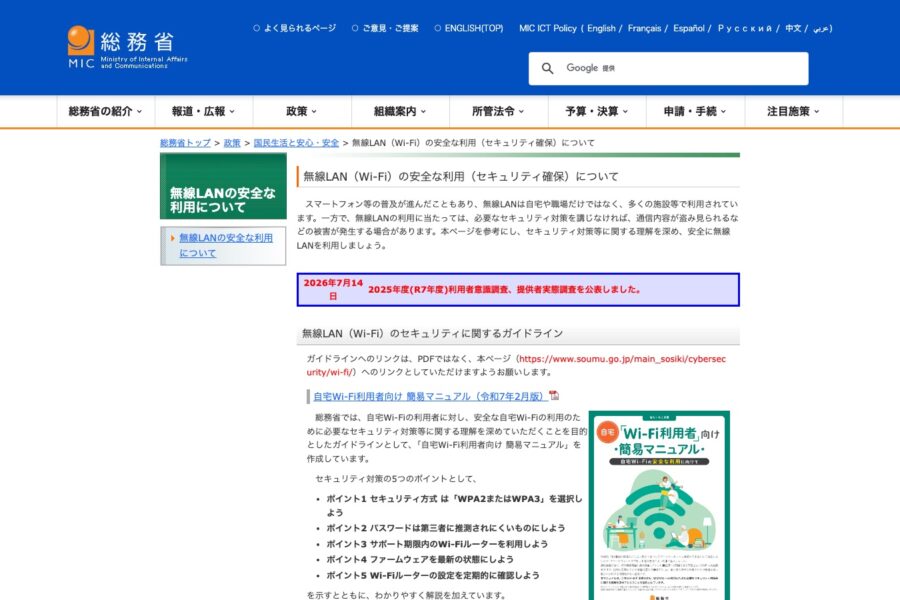
Is Free WiFi in Japan Safe? Captive Portals, VPNs and Risks
Most free WiFi in Japan is open and unencrypted. Here's the real risk in 2026, what each network collects, and when a…
How to Call a Japanese Restaurant With a Data-Only eSIM
A data-only eSIM can’t dial a Japanese landline. Here are the reservation routes that still work in 2026, what they cost, and…